
Features
Your entire testing activity
in a single tool
01
Build your test asset
Requirements are created in SquashTM, imported from an Excel file or synchronised with Jira and GitLab. Test cases are written in classic, BDD or Gherkin format, and linked to the requirements they cover.
Requirements
Manage your requirements natively or synchronise them with GitLab, Jira or, soon, OpenProject.
- Native requirement management
- Organise your requirements in a structured tree, with versioning and link management. Each requirement stays linked to the test cases that cover it, for end-to-end traceability.
- Synchronisation with your tools (Jira, GitLab, OpenProject)
- Synchronise your user stories from Jira or GitLab directly into SquashTM. Execution plans can be built automatically from agile items. OpenProject synchronisation is coming soon.
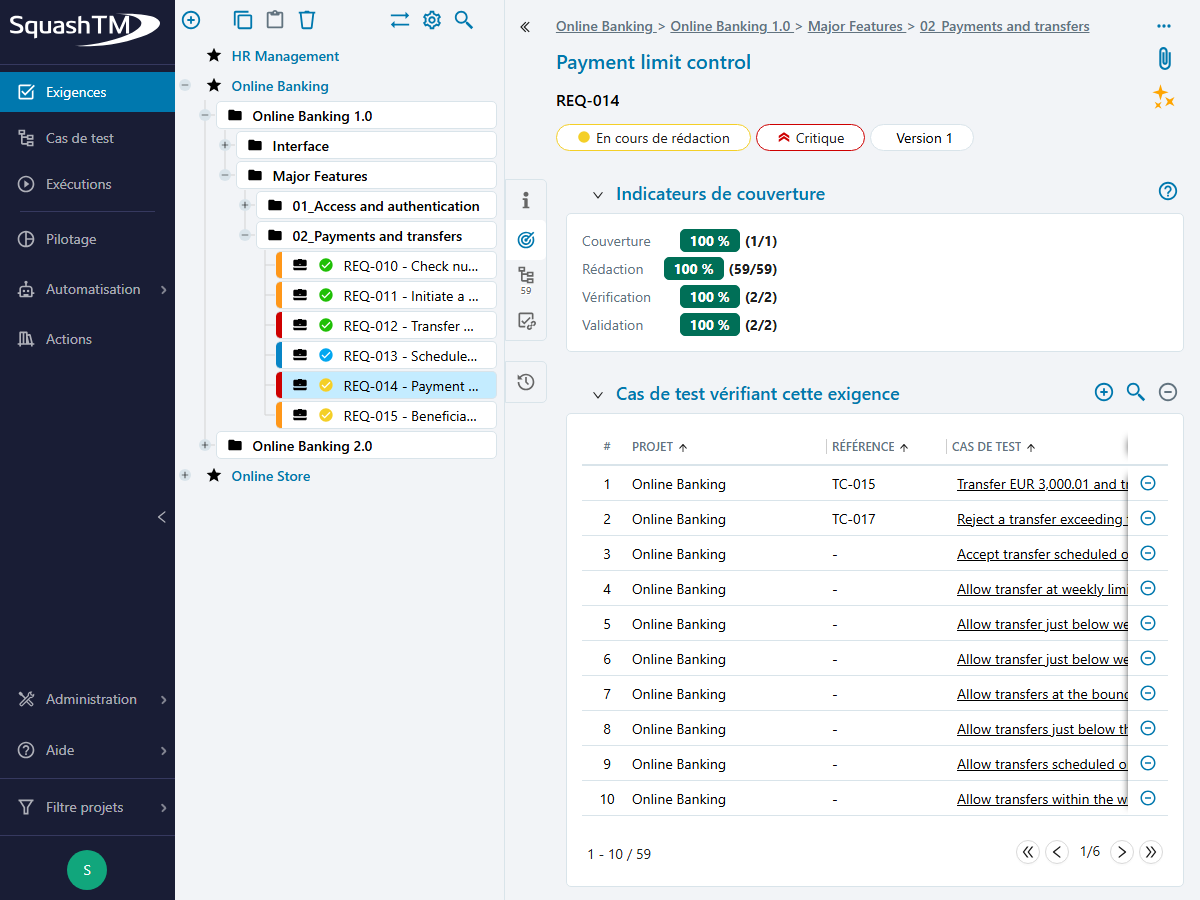
Synchronise your Jira tickets as requirements in SquashTM.
Learn more →Synchronise your GitLab issues as requirements in SquashTM.
Learn more →Synchronise your OpenProject work packages as requirements in SquashTM.
Group several requirements under a high-level requirement to track their overall coverage.
Learn more →Create independent versions of your requirements as your specifications evolve.
Learn more →Test cases
Write your test cases in the format that matches your practice.
- Classic
- Step-by-step test cases, with steps, expected results and parameters — the reference format for your functional scenarios.
- Gherkin
- Written in Given / When / Then format, readable by business teams and directly aligned with your specifications.
- BDD
- A library of reusable actions with autocompletion (Ultimate edition), for a consistent vocabulary across teams and faster writing.
- Exploratory
- Sessions framed by a test charter, with observations recorded in real time and issues attached directly to their context. Learn more →
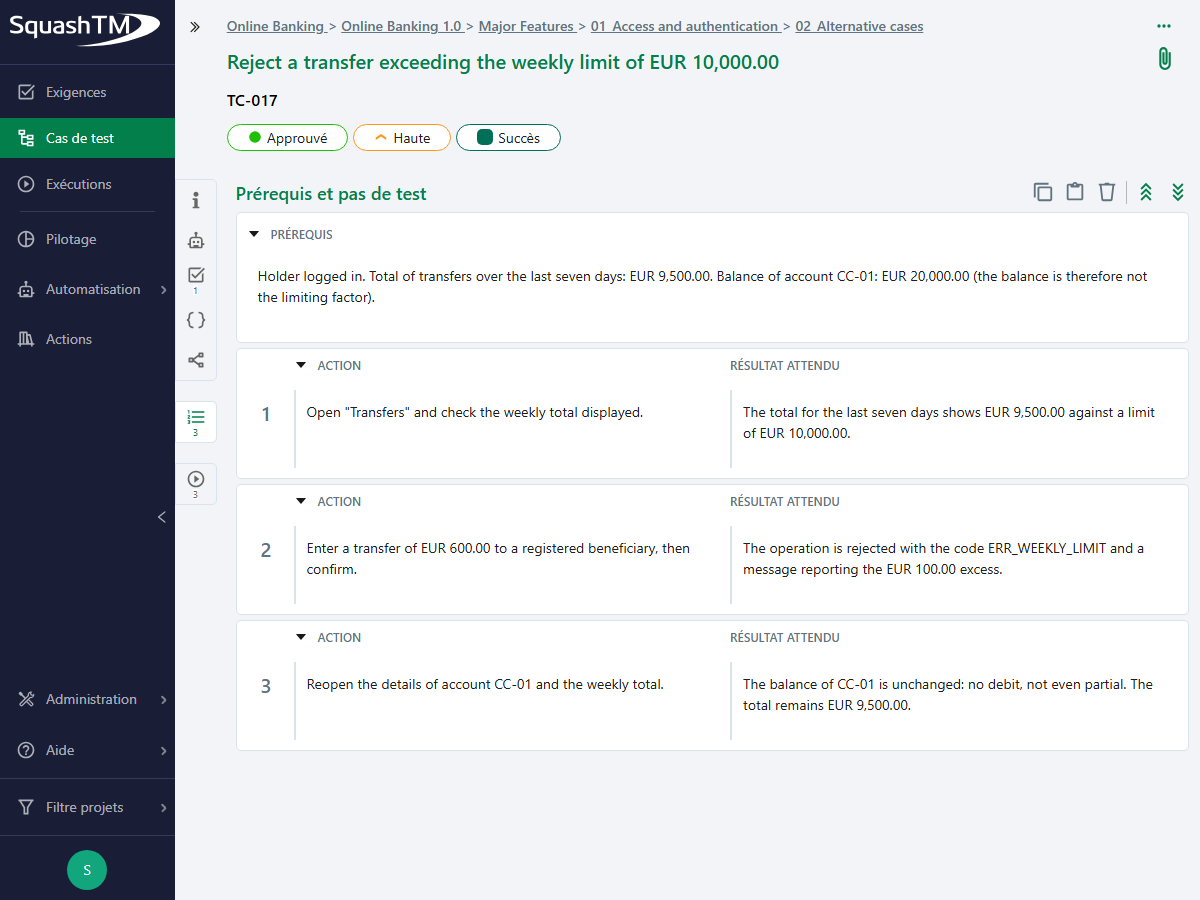
Create a test case in Classic, BDD, Gherkin or Exploratory format, qualify it (status, importance, nature, type) and link it to requirements.
Learn more →Write your scenarios in Gherkin (Given/When/Then), with action autocompletion in the Ultimate edition, exportable to Cucumber or Robot Framework.
Learn more →Write your Gherkin scripts as free text in a dedicated editor with syntax highlighting and checking, for manual or automated execution.
Learn more →AI test case generation
Generate your test cases from your requirements by adding context (other test cases, a document).
- Generation from a requirement
- Test cases are produced from the requirement's text, enriched with the context you add: other existing test cases, a specification document.
- Supported formats
- Generation is available in classic format. BDD and Gherkin formats arrive in Q4 2026.
- The model of your choice
- SquashTM connects to the AI server you specify. You stay in control of the model used and where it is hosted.
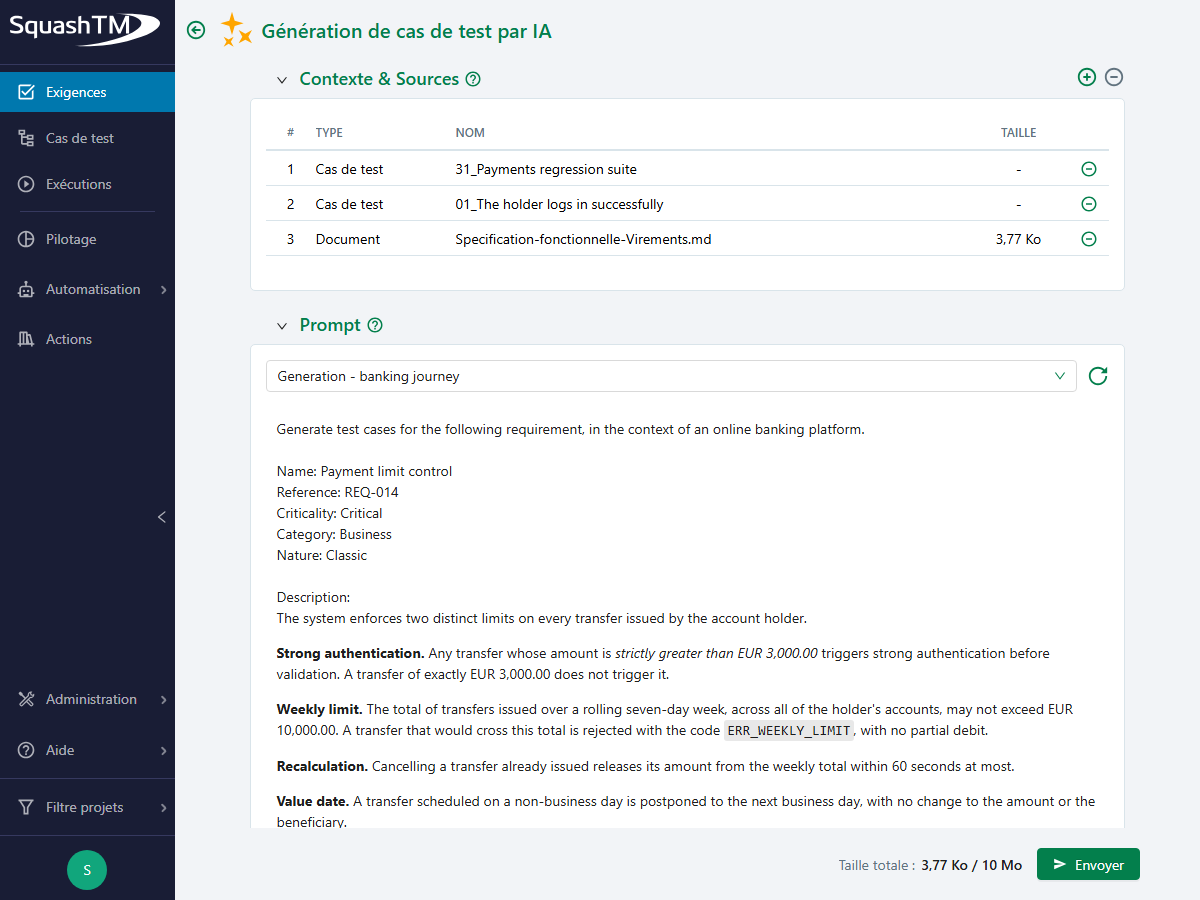
Generate test cases from a requirement, with a customisable prompt and enriched context.
Learn more →Generate Gherkin test cases from a requirement, with a customisable prompt and enriched context.
Traceability
Link your requirements to your test cases and track what is covered.
Link test cases to your requirements to build the coverage matrix.
Learn more →View writing, verification and validation rates, by requirement or by scope.
Learn more →02
Run and automate
Campaigns are planned in SquashTM or from Jira and GitLab sprints. Tests are run manually, launched by SquashTM Orchestrator or reported from a CI/CD pipeline. Issues go to the bug tracker already in place.
Campaigns
Build your execution plans from your campaigns or your sprints.
Organise your execution phase into campaigns, split into iterations and test suites
Learn more →Organise your tests by sprint and validate each requirement over the iterations
Learn more →Synchronise your Jira sprints into the SquashTM Executions workspace
Learn more →Synchronise your GitLab milestones and iterations into SquashTM
Learn more →Manual execution
Run your tests step by step and record the results as you go.
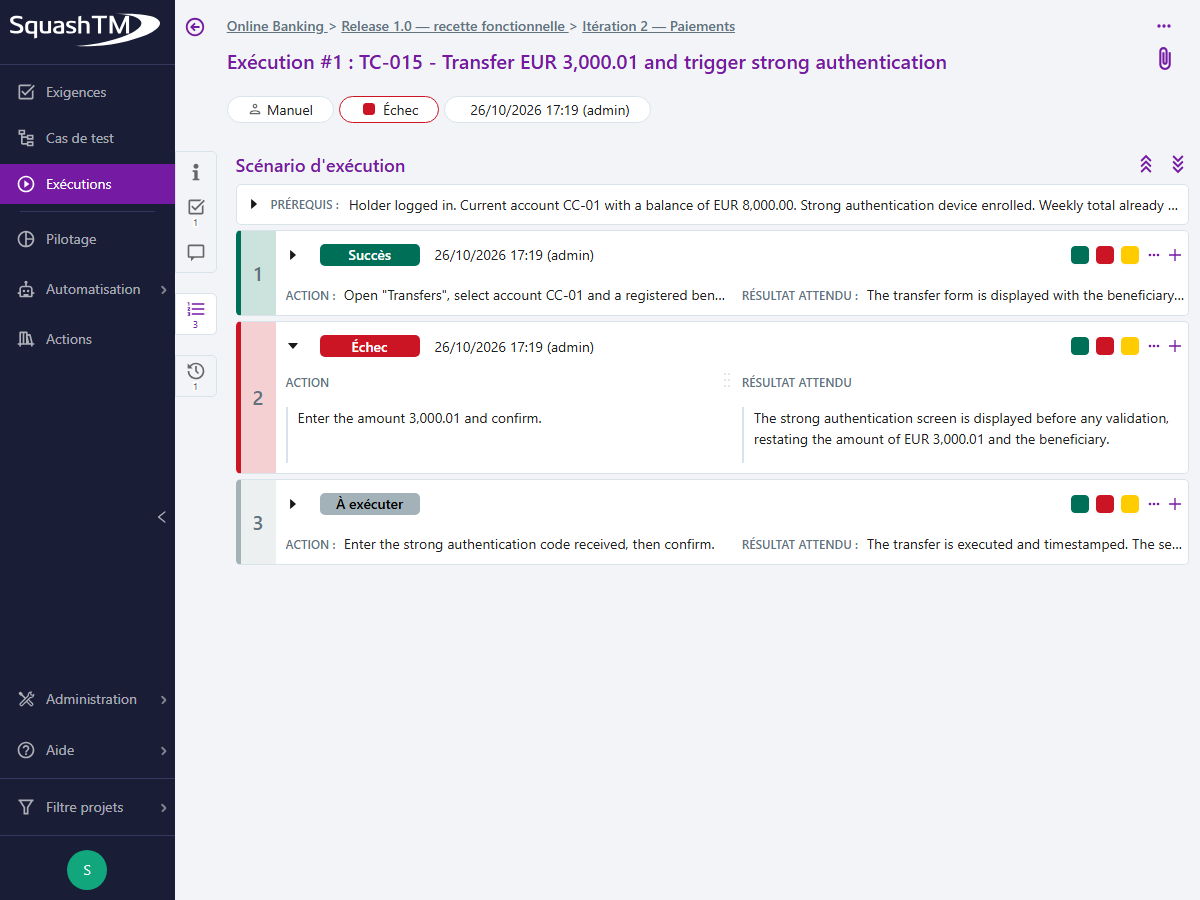
Run tests step by step, attach files and report issues during execution
Learn more →Automation
Report results from your pipeline or trigger tests with SquashTM Orchestrator.
- Triggered by your pipeline
- Tests run in your CI/CD chain, which pushes the results into SquashTM.
- Triggered by SquashTM
- The Orchestrator launches automated tests from the tool, whatever the framework.
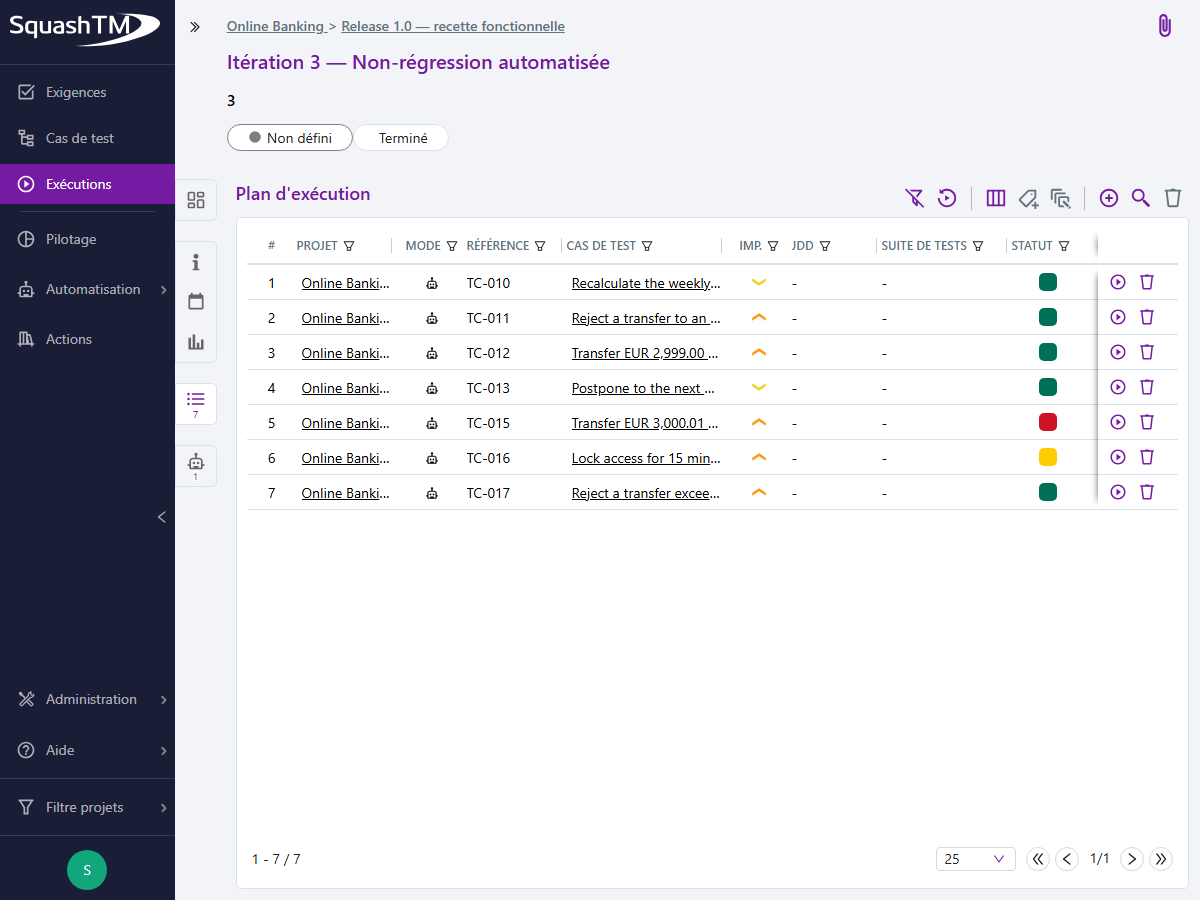
Identify the test cases most worth automating with a score calculated on objective criteria
Learn more →Publish automated test execution results in SquashTM from your CI/CD pipeline, whatever the framework
Learn more →Launch your automated tests from SquashTM via SquashTM Orchestrator
Learn more →Follow tests as they run, without waiting for the batch to finish.
Learn more →Define rules for evaluating test results that determine whether a pipeline succeeds or fails
Learn more →Run your tests with Robot Framework, Cucumber, JUnit, Playwright, Cypress, Postman, SoapUI, SKF
Learn more →Issues
Report issues during execution, in the development team's bug tracker.
Report an issue from an execution to GitLab, Mantis or Bugzilla
Learn more →Report an issue from an execution to Jira, Azure DevOps, Redmine or Tuleap
Learn more →Results
Find the history of all your executions, manual and automated.
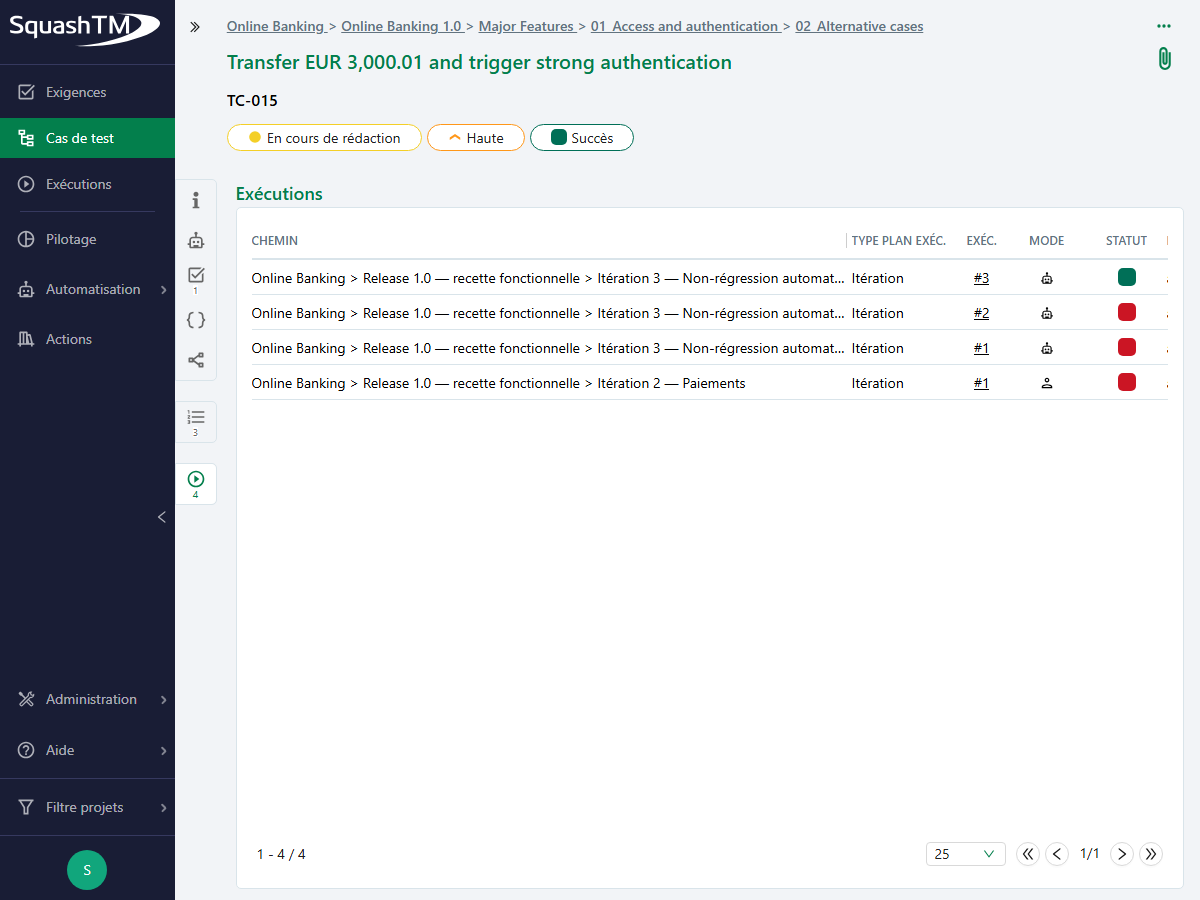
View all past executions of a test case, manual and automated, from its page.
Learn more →View the details of the tests run, their status and duration at the end of an automated run.
Learn more →Pinpoint the exact check that failed, without opening the raw reports.
Learn more →03
Monitor testing activity
Predefined dashboards cover requirements, campaigns and sprints. Custom charts and dashboards are built from project data. Results can be exported as reports or CSV, and displayed in Jira and GitLab.
Dashboards
Track the coverage of your requirements and the progress of your campaigns.
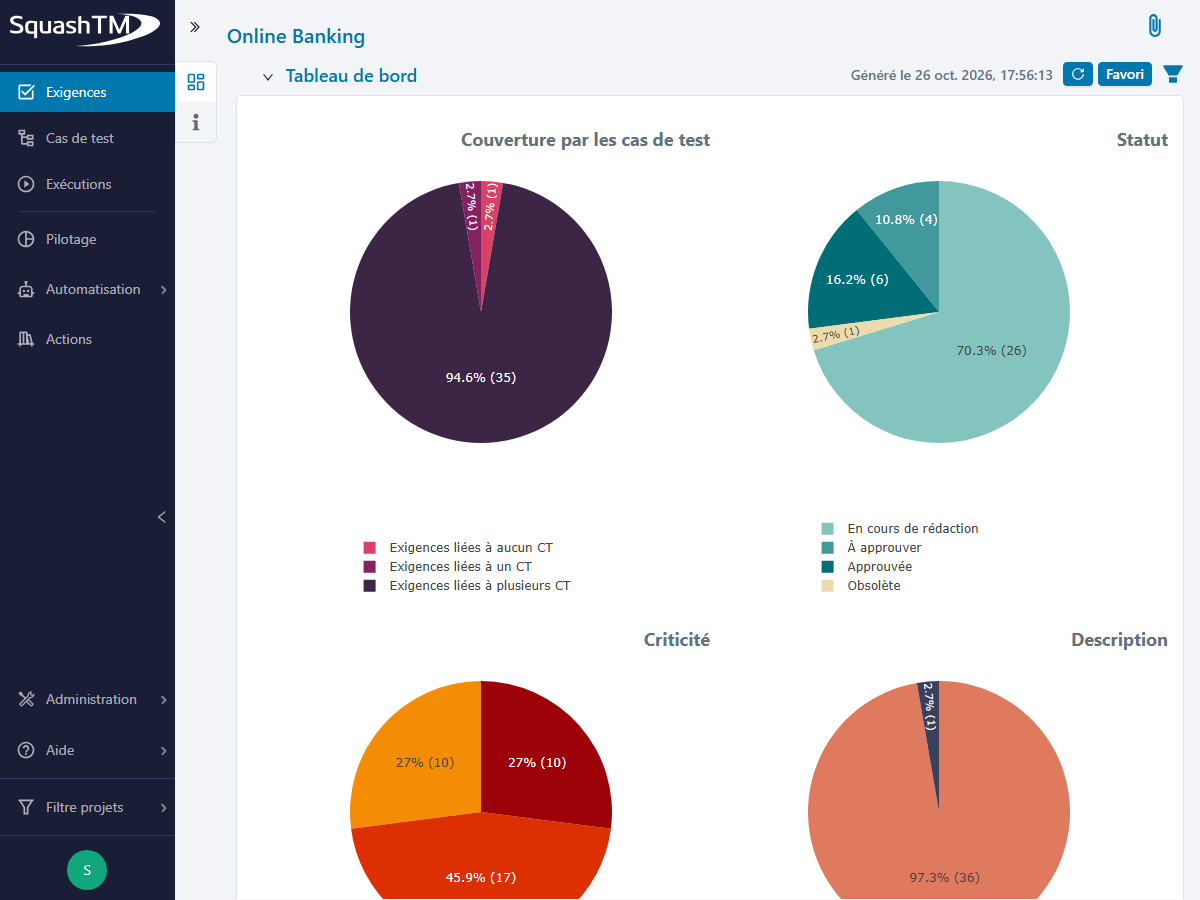
Writing, coverage, verification and validation rates of the repository.
Learn more →Cumulative progress, execution statuses and test inventory for a campaign or iteration.
Learn more →Progress of the sprint's requirements and of the test cases in its execution plan.
Learn more →Filter executions across several projects, rerun a test or change statuses in bulk from the results.
Learn more →Custom indicators
Build the charts and dashboards that match your organisation.
Cross requirements, test cases and executions on the attributes of your choice, custom fields included.
Learn more →Gather charts and reports on a single page, and display it in the Requirements, Test cases and Campaigns workspaces.
Learn more →Reporting
Generate your reports and exports, or follow tests from Jira and GitLab.
- From SquashTM
- Generate your reports and campaign summaries, or export the data in the format you have defined.
- From your tools
- Test progress can be viewed directly in Jira and GitLab, for those who don't open SquashTM.
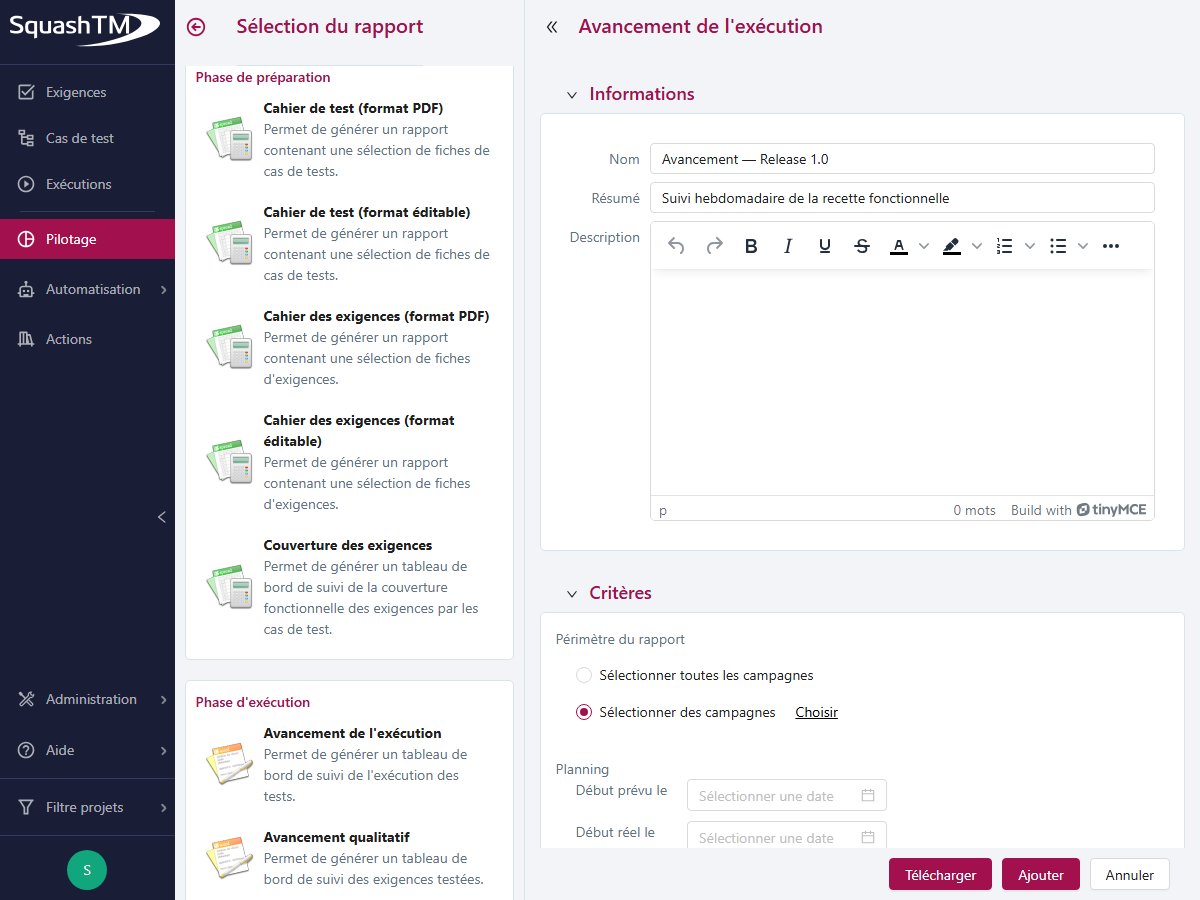
Produce progress reports, requirement books and test books in PDF or Word format
Learn more →Configure your exports with the columns and scope of your choice
Learn more →Coverage, test progress and user story validation, displayed directly on Jira tickets.
Learn more →The same information posted as a comment on GitLab issues, at each synchronisation cycle.
Learn more →