Skip to content

BDD

BDD with SquashTM

Are you working in agile with the BDD (Behavior Driven Development) approach?

SquashTM offers a solution to formalise, automate and execute your BDD scenarios, while promoting the implementation of associated best practices.

Why SquashTM?

SquashTM offers an integrated solution to meet the needs of each feature team member involved in BDD testing.

Gherkin formalisation assistance

Improve your productivity and make your BDD test scenarios formalisation in Gherkin more reliable, thanks to a simple and intuitive interface, with autocompletion (Ultimate edition) to avoid syntax errors.

Action library to facilitate automation

Design modular tests suitable for automation, using libraries of parameterised actions that can be reused in your different test scenarios.

Agnostic test design to implementation choices

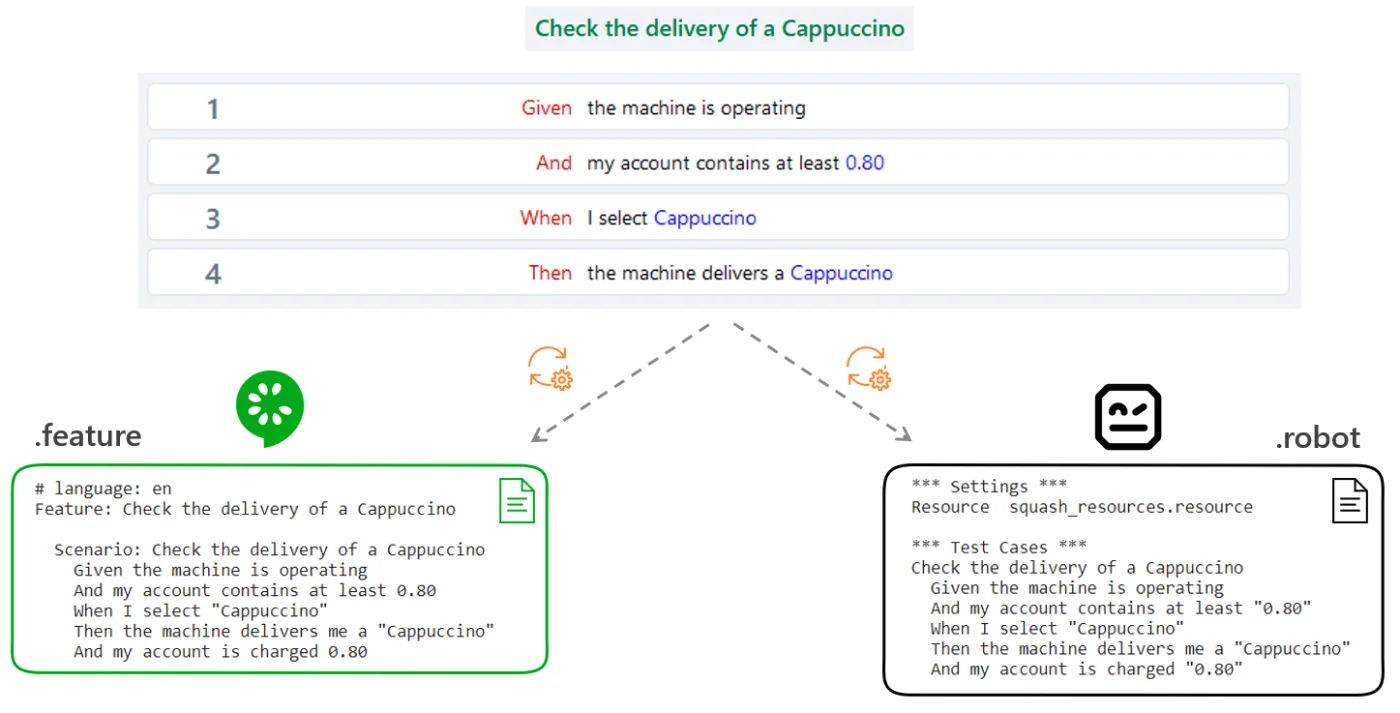
Write scenarios compatible with several automation technologies: from the scenarios, SquashTM automatically generates the script skeleton expected by the different automation frameworks (Cucumber or Robot Framework).

Industrialisation of the execution and analysis of automated BDD tests

Plan the automated execution of your tests or trigger them via a CI/CD pipeline, then take advantage of an interface that facilitates the analysis of the results.
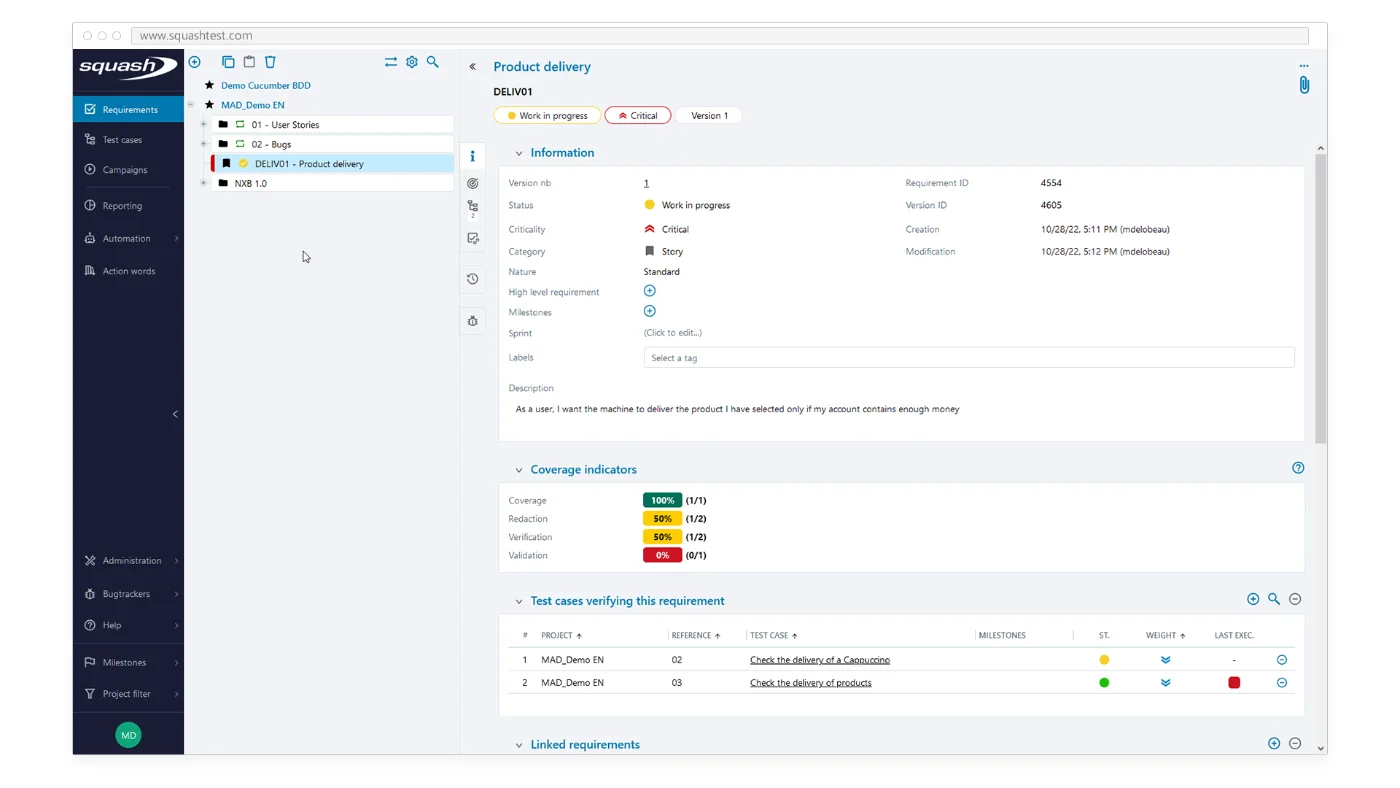
Jira user stories synchronised as SquashTM requirements
01

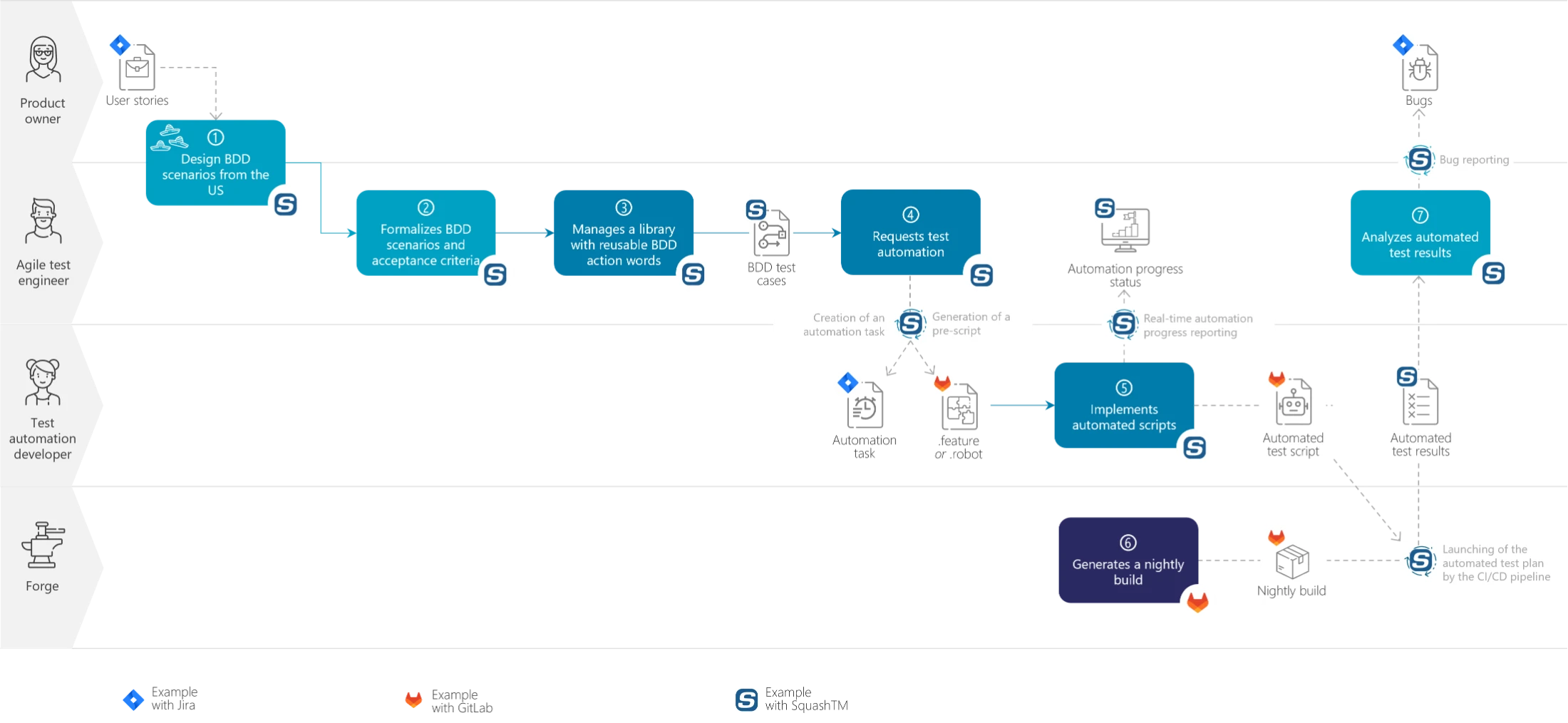
Analyse the user stories and identify the necessary BDD scenarios

  • Before the developments, the Product Owner, developers and testers meet to collaboratively analyse the user stories and identify the resulting BDD scenarios or acceptance criteria.
  • As a tester, create in SquashTM the scenarios identified during these workshops as BDD test cases, and complete their description with the test objectives.

Tip

Behavior Driven Development focuses on behavior and not on implementation details (GUI, navigation), infrastructure or user path descriptions.

BDD scenarios can be complemented with navigation and GUI tests as well as exploratory tests.
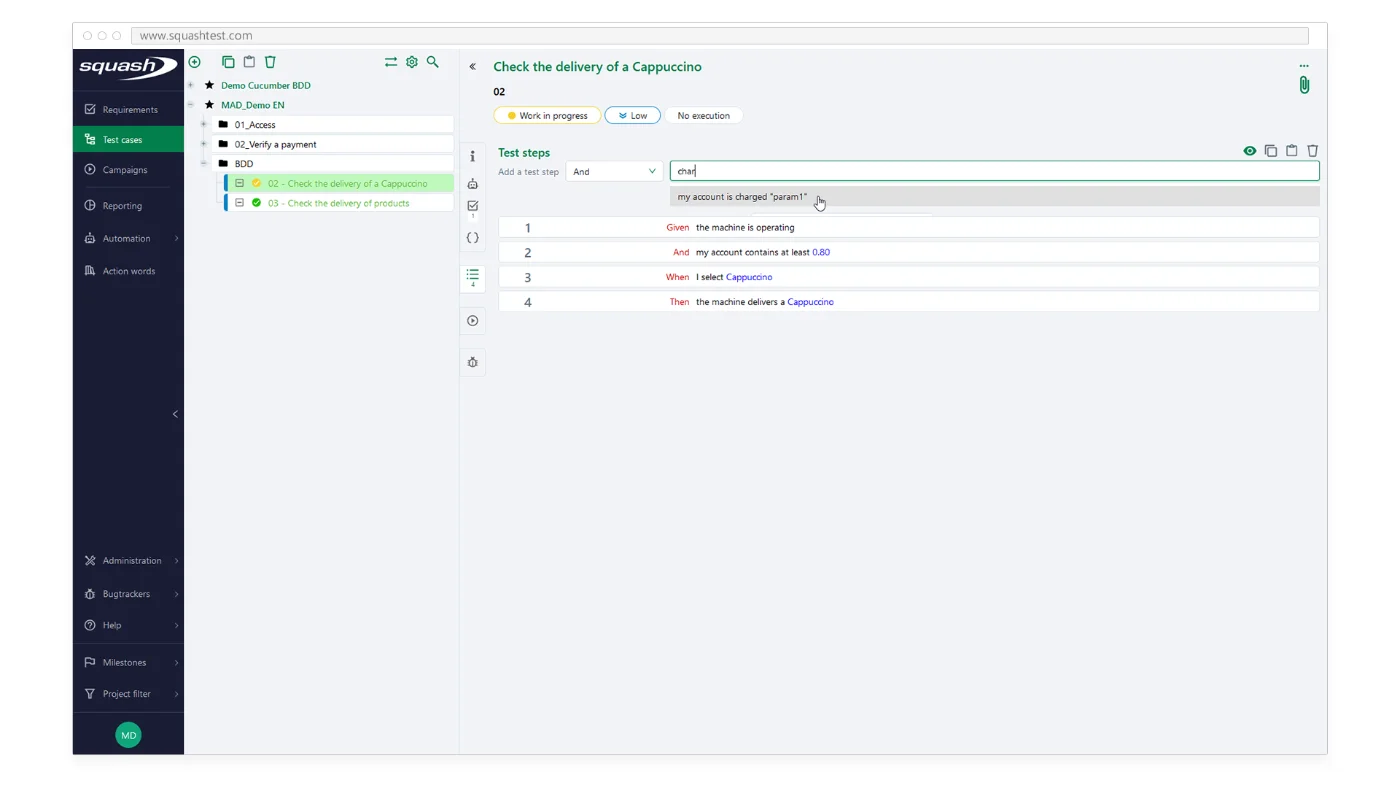
Writing a BDD test case in SquashTM, with autocompletion of parameterised actions
02

Formalise the BDD scenarios to cover the user stories in SquashTM

  • Following these workshops, formalise these scenarios in SquashTM by adopting a modular approach consisting in factoring the actions/steps that are found in several tests.
  • You can also parameterise your BDD test cases. Example: instead of having several actions "the machine is running", "the machine is stopped", prefer a single parameterised action "the machine is "state"".
  • These two approaches help ensure the consistency of test cases, facilitate asset maintenance by avoiding redundancies and accelerate future test automation.
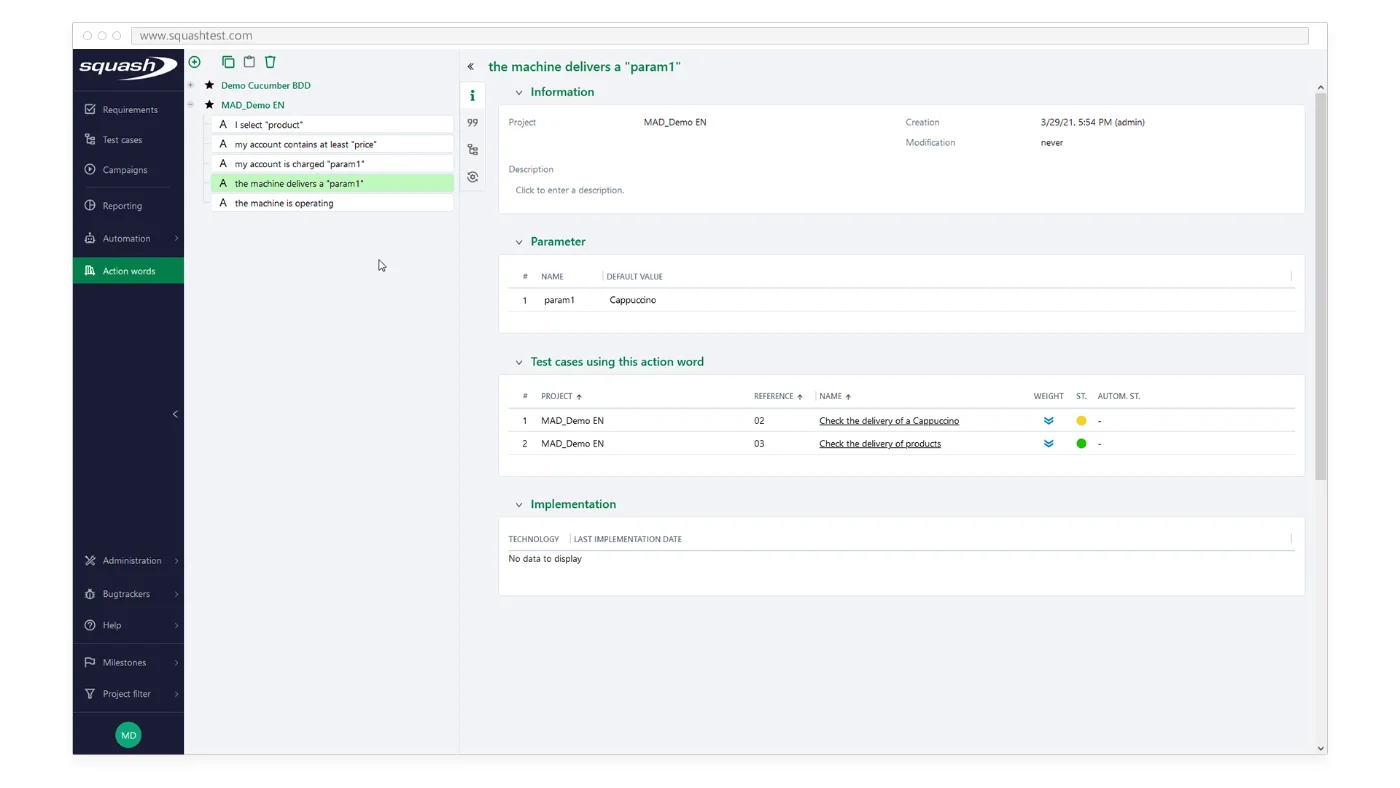
The SquashTM BDD action library workspace
03

Manage your BDD action library

Thanks to the Action Library workspace, build a pool of actions (to be reused in your BDD tests) based on a common terminology, which will facilitate the understanding, writing, maintenance and automation of BDD test cases:
  • Create/delete actions (new actions entered when writing BDD test cases are directly added to the action library)
  • Manage variables associated with actions
  • View the list of tests using the action
  • Identify actions that have been automated
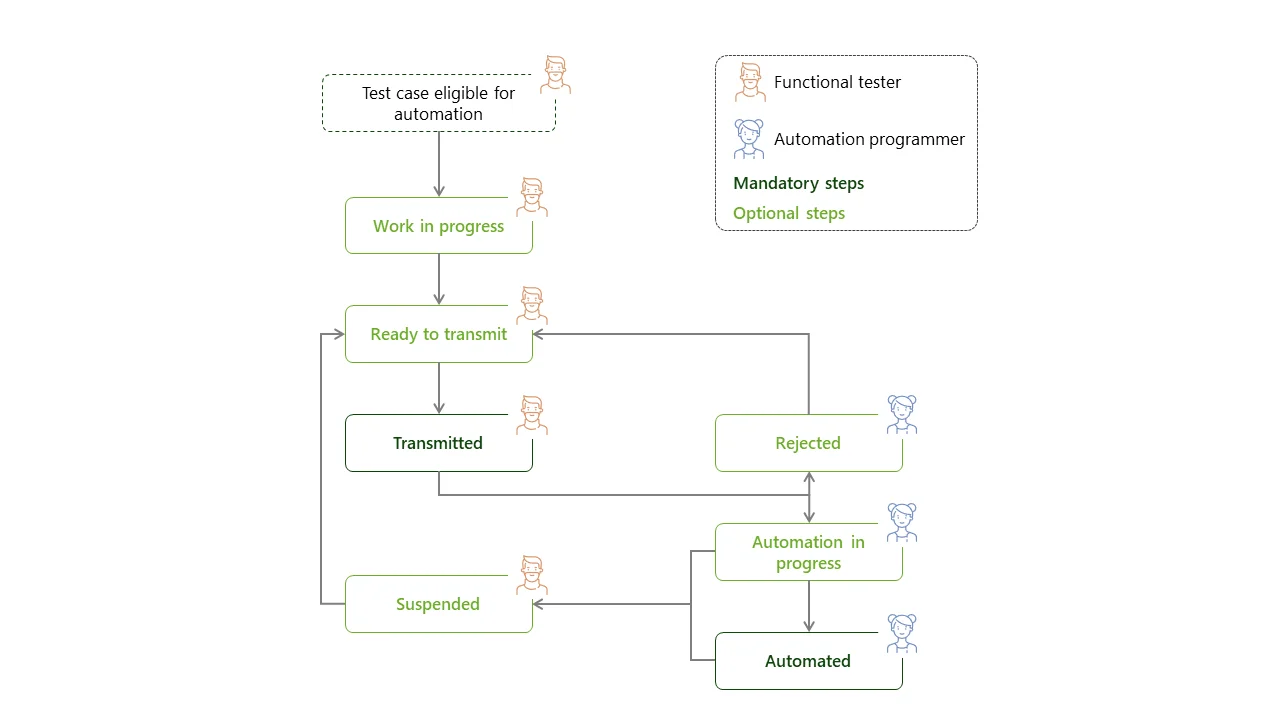
The list of tests to automate shared with the automation engineer, with progress indicators
04

Share the tests to be automated with the automation engineer and follow the progress

  • As a functional tester, identify the tests to be automated and pass on the list to the automation engineer or developer as automation tasks.
  • SquashTM automatically generates an automation script skeleton in Cucumber or Robot Framework format from each BDD test case. Then, it automatically pushes it in the automation team's Git repository and links it to the BDD test case.
  • Then track the progress of each automation task to be notified when a test automation is completed.

Good to know

You can still manually test your BDD scenarios via a dedicated test run interface in which it is possible to report issues directly while running the tests.
Learn more →
The automation engineer updates the progress of automation tasks in SquashTM
05

Implement automated scripts

  • As a test automation developer, review automation tasks and manage their progress to give visibility to the tester.
  • Retrieve generated scripts from the Git repository and implement the actions they contain while reusing the implementation of already automated actions.
  • Once the implementation is complete, update the status of the automation task to signal the end of the automation.
Automate your tests with SquashTM →
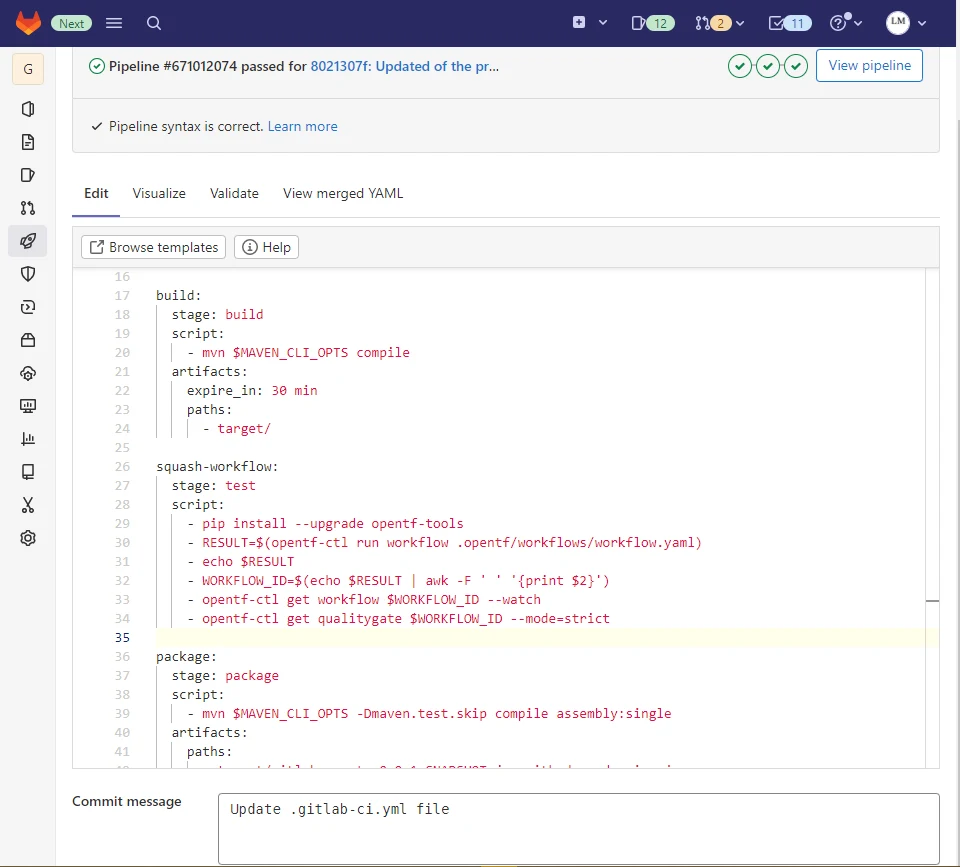
A GitLab CI pipeline running a SquashTM test plan and checking its quality gate
06

Integrate automated test execution into the CI/CD pipeline

  • As a functional tester, define which automated test plan(s) to run and when to run them. You can, for example, in addition to testing the UI level every night, test the web services on every pull request / merge request…
  • As an SRE, integrate into the CI/CD pipeline the execution of the automated test plan (plan retrieval in SquashTM, execution, results feedback and reporting in SquashTM) and, optionally, a quality gate to define if the test results are acceptable or not to continue the execution of the downstream pipeline.
  • Once the configuration is done, the tests are automatically launched according to the defined strategy.

Good to know

Automated tests can also be launched from SquashTM.
Learn more →
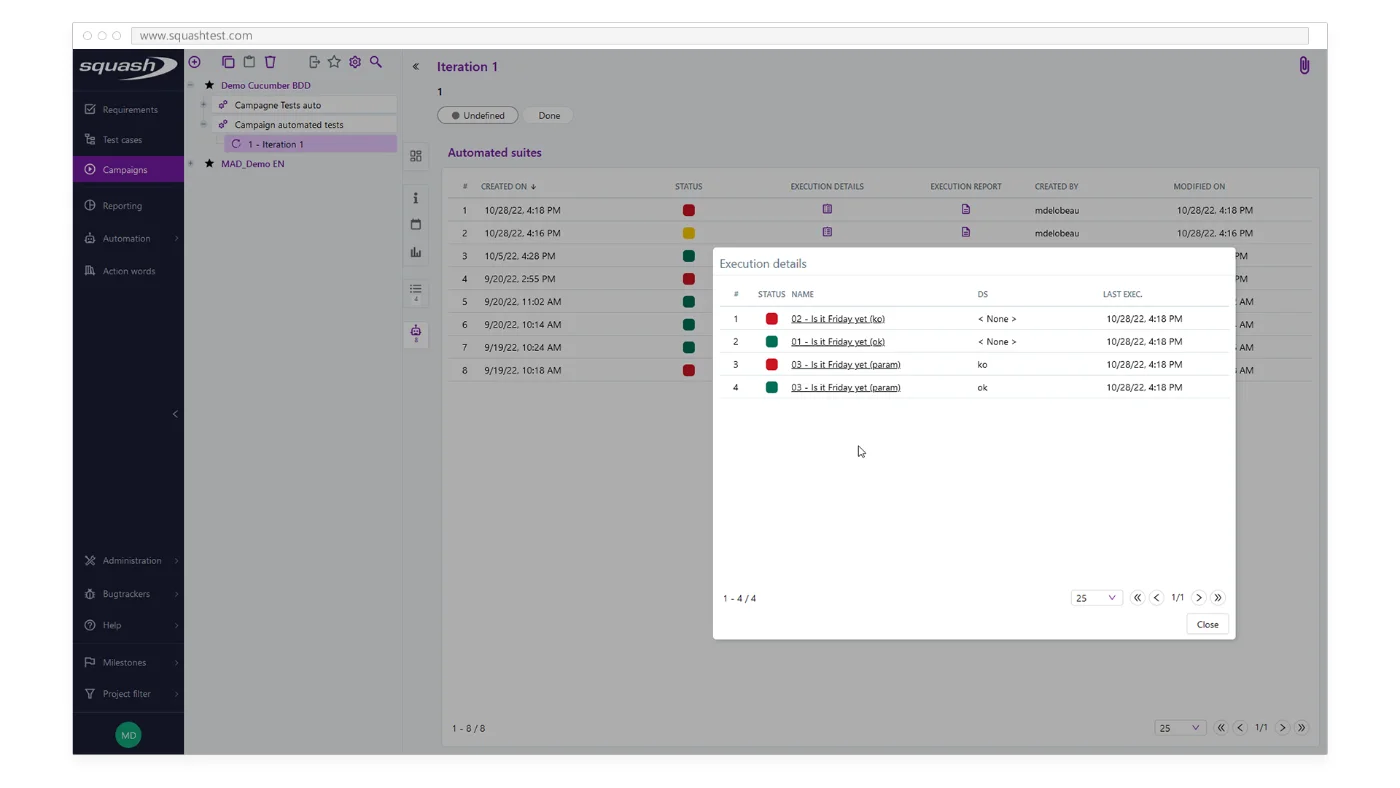
Execution details of an automated test suite in SquashTM
07

Analyse the results of automated tests

  • As a tester, review every morning the results of automated tests that were run overnight and identify tests that need analysis.
  • Analyse these results using reports, screenshots, execution history and save time by identifying tests that fail for the same reason.
  • At the end of the analysis, indicate if the test is ok, unstable, obsolete and declare any issues related to the test.

To go further: using Jira + SquashTM

Interfacing SquashTM and Jira to:

  • Synchronise Jira user stories in SquashTM and associate them with BDD test cases
  • Share BDD test cases with developers in Jira (in an ATDD approach)
  • Follow the progress of the execution (manual and automated) of the tests and the validation of the user stories in Jira
  • Delegate the management of automation tasks to Jira in order to integrate them into sprints
Interfacing SquashTM and Jira →

Put BDD into practice with SquashTM

Talk to a SquashTM expert to structure your BDD scenarios and industrialise their automation.

Talk to an expert