
Deliveries 8.0 and 2024-10 with the implementation of sprints, and the real-time display of automated test execution logs
The 8.0 delivery of Squash TM and 2024-10 delivery of Squash Orchestrator contain the following features:
- Sprint-based validation of requirements
- Improvement of Xsquash4Jira and Xsquash4GitLab synchronizations
- Creation of profiles with customized permissions in the administration workspace
- Import Xray projects into Squash projects
- Real-time display of automated test execution logs
- Improvements for source code management servers
- Availability of execution environments
- Automated test runtimes
- Integration of automation plugins in Squash TM
- Improved performance
- Start of Allure deprecation
The full list of new features and bug fixes is available on Squash TM 8.0 and Squash Orchestrator 2024-10.
Sprint-based validation of requirements
As a complement to execution campaigns, “sprints” have been added to the Executions workspace (formerly Campaigns) to enable requirements validation in an agile context, on a sprint scale.
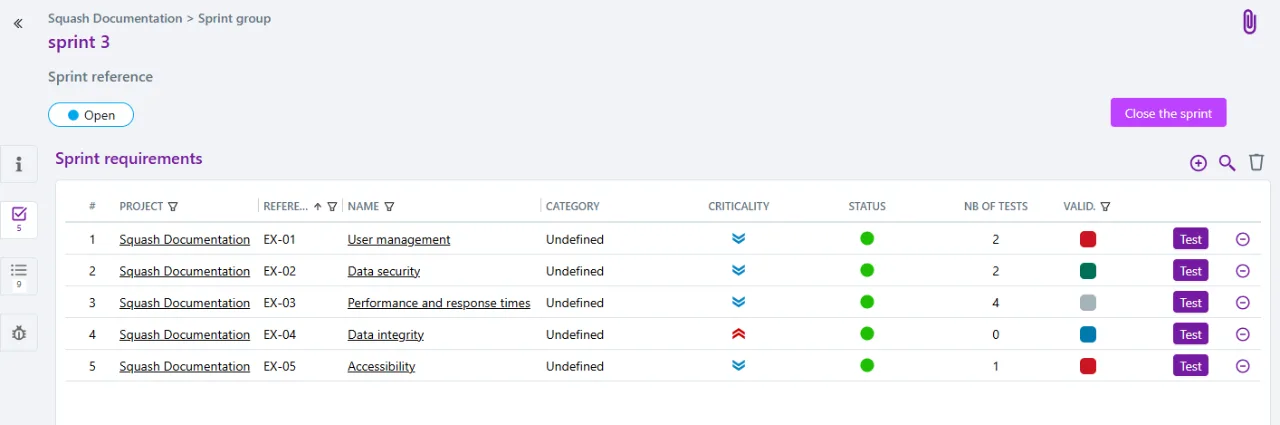
To facilitate this validation, each sprint requirement benefits from an execution plan automatically populated with the tests that verify it.
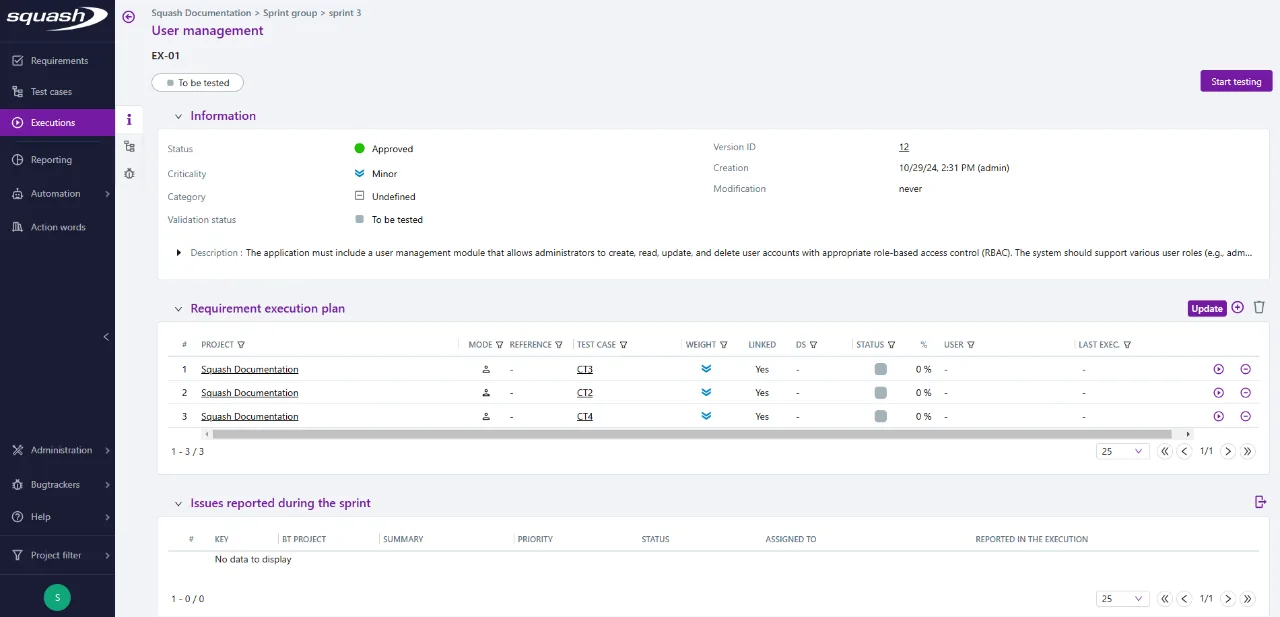
This new way of organizing the validation phase highlights functionalities ready for production, or on the contrary, those where an alert needs to be raised.
Squash sprints can be synchronized with GitLab milestones / iterations and Jira sprints thanks to Xsquash4GitLab and Xsquash4Jira, delegating the creation and management of sprint content to GitLab and Jira.
Improvement of Xsquash4Jira and Xsquash4GitLab synchronizations
Simulation is now mandatory before adding or modifying a GitLab or Jira synchronization. This will quickly highlight any configuration or communication problems between instances and ensure that the setup is correct.
Creation of profiles with customized permissions in the administration workspace
Requires the Squash TM Premium plugin and Squash Ultimate offer.
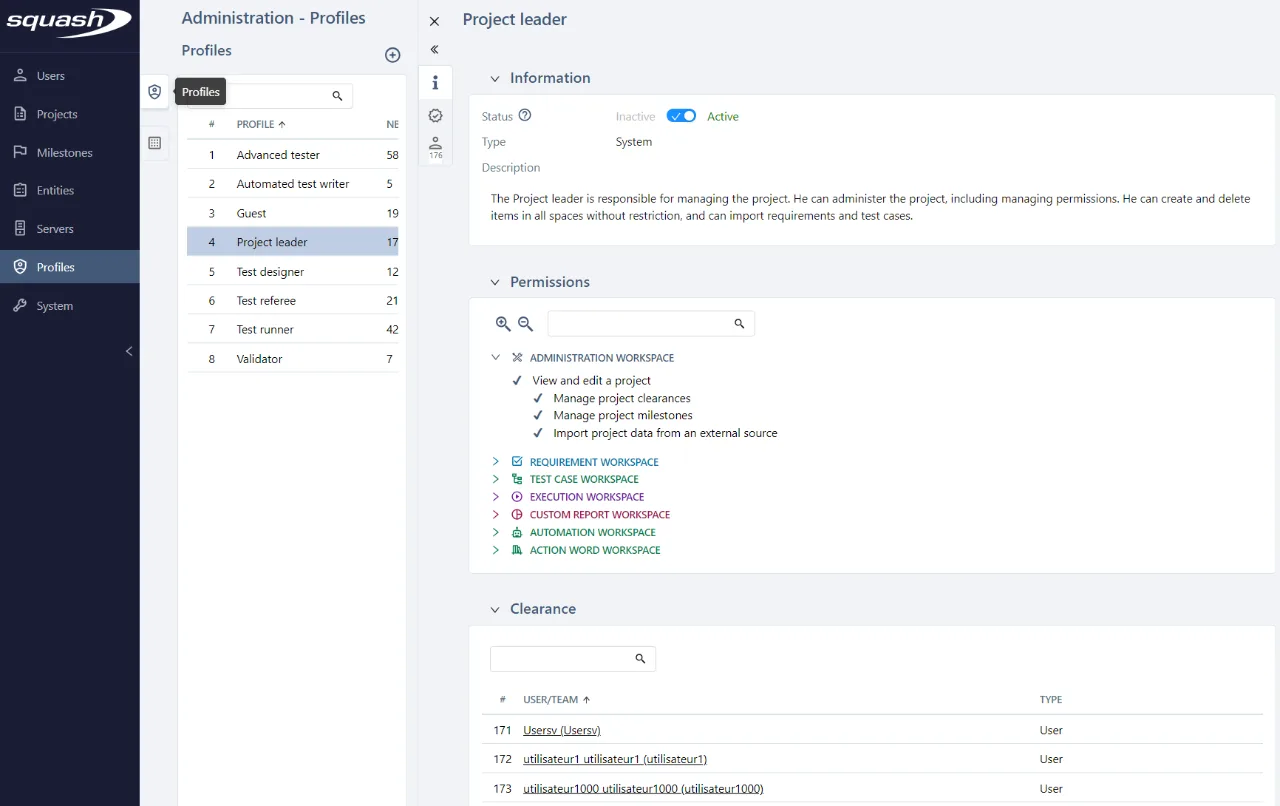
A new user profile management workspace has been added to the Administration workspace. It makes it possible to consult available profiles (with associated permissions and users/teams), but above all, it makes it possible to create new profiles to manage permissions in a way that’s better adapted to the context of each organization. Each personalized profile can be assigned certain permissions from a list, enabling a better management of the accesses associated with the Administration workspace (as a first step).
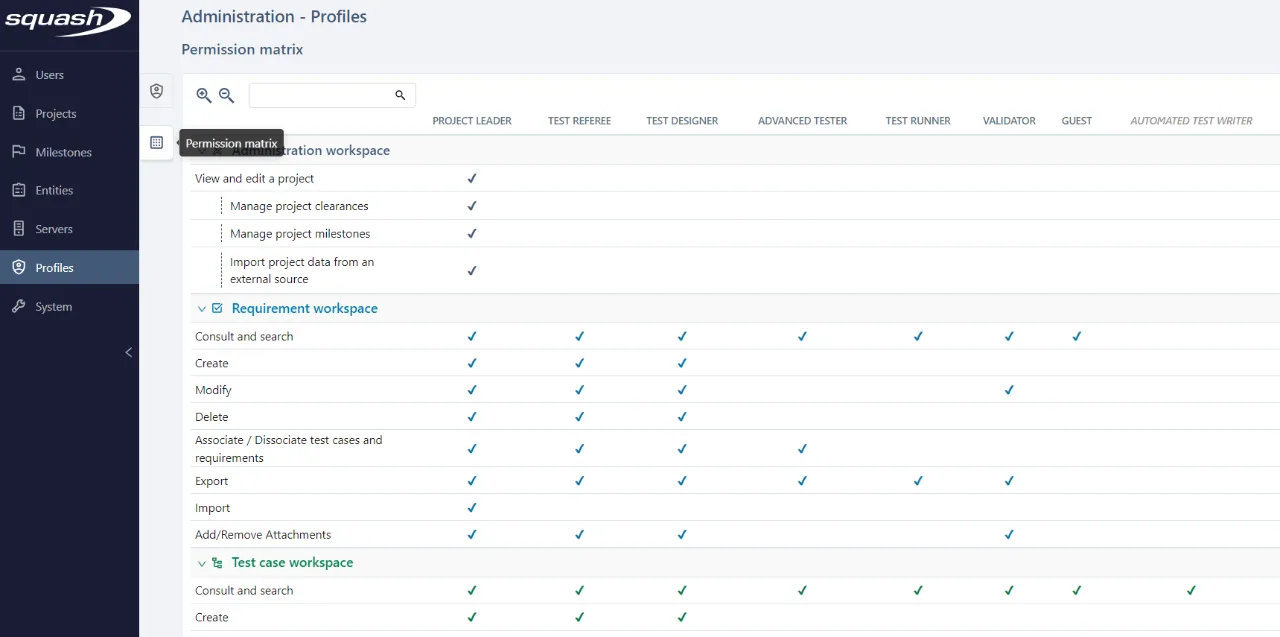
A permission matrix has also been integrated to provide a global view of the permissions granted to each profile.
Real-time display of automated test execution logs
Requires Squash TM Premium plugin, included with Squash Premium offer.
It is now possible to view real-time workflow logs for automated tests executed from the Squash TM interface.
With monitoring as close as possible to the time of execution, problems detection and analysis of results are all the faster.
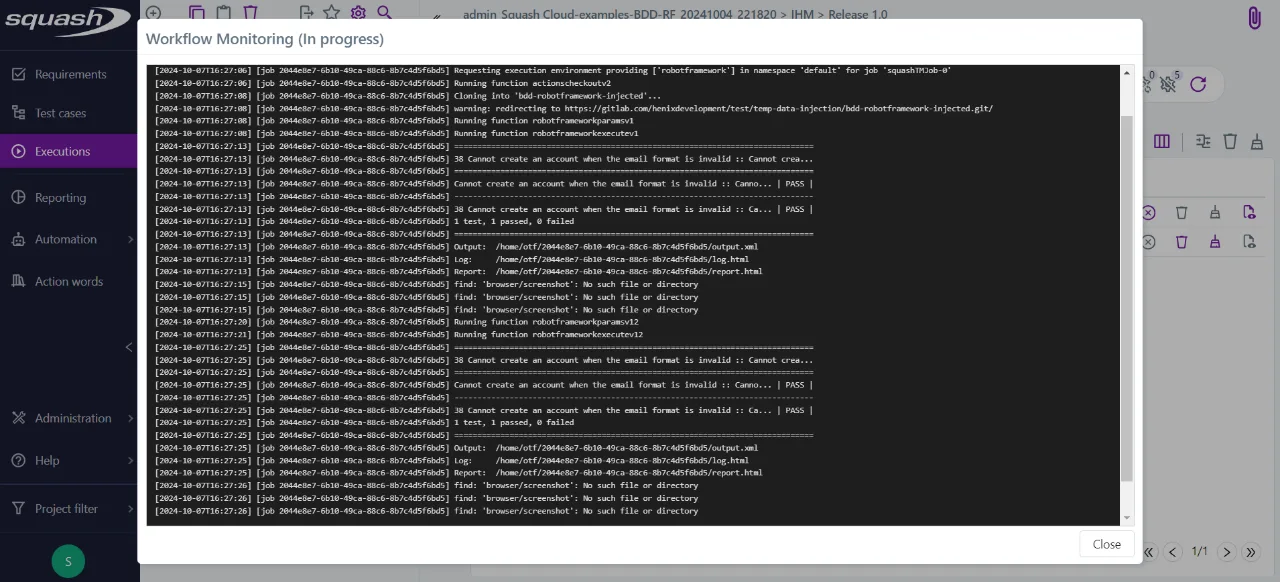
Moreover, the executionlog file is now updated regularly instead of being available only at the end of the automated suite execution, even for the Community license.
Improvements for source code management servers
Adding a repository on a source code server has been simplified. When cloning on the server, the local directory is automatically defined by Squash TM, and only the path to the working folder is configurable.
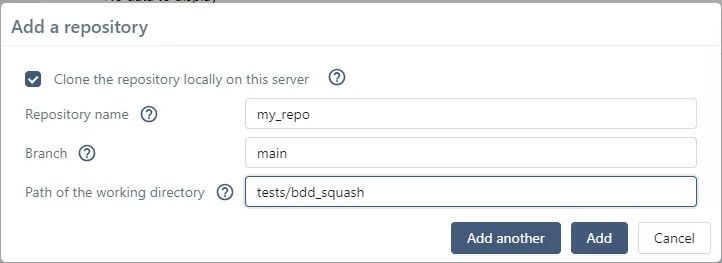
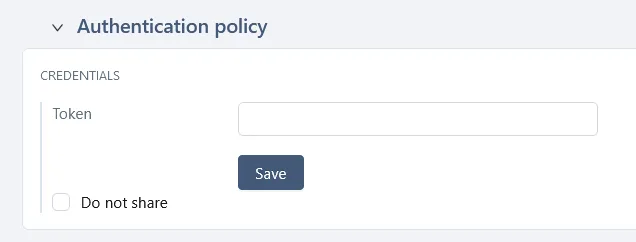
For security reasons, it is now possible not to pass git credentials from Squash TM to execution environments. By checking the “do not share” box, Squash TM and Squash Orchestrator will never have access to these authentication informations. In order for automated tests to run correctly, execution environments must be configured to have access to the test repositories.
However, git credentials will still be required in Squash TM in the event of BDD or Gherkin test cases being transmitted to a remote repository.
Availability of execution environments
A summary of the execution environments and their statuses is available in the “environments” component of the “iteration” and “suite” sections of the test campaigns as long as their execution plan contains automated tests that will be executed by a Squash Orchestrator server.
This overview provides information on the orchestrator’s health, as well as on the number of environments available to run automated tests, and ensures that no environment is monopolized.

Automated test runtimes
The execution time for each test is now displayed in the test execution information.
Knowing how long an automated test will run allows you to prioritize and select relevant test cases when time is limited. It also allows you to check that the execution time of a given test remains stable over time, providing an early warning of performance problems if a non-negligible variation is observed.
Import of Xray projects into Squash TM projects
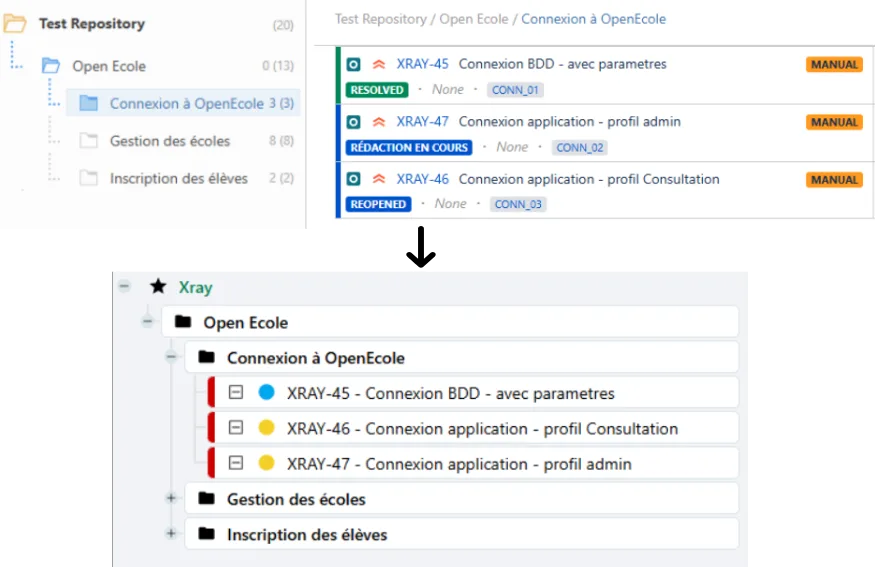
Migrating from Xray to Squash TM just got easier. Xray project import lets you migrate Xray test cases and associated executions (equivalent to Squash execution plans) from an xml file to a new project in Squash TM.
Integration of automation plugins in Squash TM
The features of the Action Library, Result Publisher, Squash AUTOM and Test Plan Retriever plugins have been integrated directly into Squash TM, and are available under their respective licenses.
It is therefore no longer necessary to install these plugins for new instances of Squash TM, and they should be removed before upgrading to version 8.0.
Improved performance
In a continuous effort, this version improves the global performance of the application, in particular for importing test cases.
Start of Allure deprecation
Allure reports are no longer generated by default. However, it is possible to re-enable this feature by deploying Squash Orchestrator with the OPENTF_ALLURE_ENABLED environment variable set to true.
Deprecated features
The following features are deprecated and will be permanently removed from Squash in the versions or on the dates indicated:
- December 31, 2024
We will stop publishing any squashtest/squash-tm Docker image.
- Squash 9.0, to be released in the first quarter of 2025.
Support for PostgreSQL 13 and 14 will be discontinued. Squash 9.0 will require Java 21. Jira authentication via OAuth 1A will not be supported anymore. Test case import using a Zip file will not be possible. Test cases will not be exportable anymore as CSV files.
- Squash 10.0, to be released in Q2 2025.
Jira Requirements plugin will no longer be distributed. Basic authentication for REST API will be disallowed by default.
For more information and further deprecations, please visit the deprecation details.